Scratch2Arduino
Programming a real Arduino board with blocks, no coding needed
- Context
- Personal project born from Epitech's Coding Club workshops
- Role
- Design and development, with Claude under close supervision
- Period
- 2026
- Tech stack
- C++
- CMake
- TypeScript
- React
- Blockly
- Arduino
- Python
- JavaScript
Overview
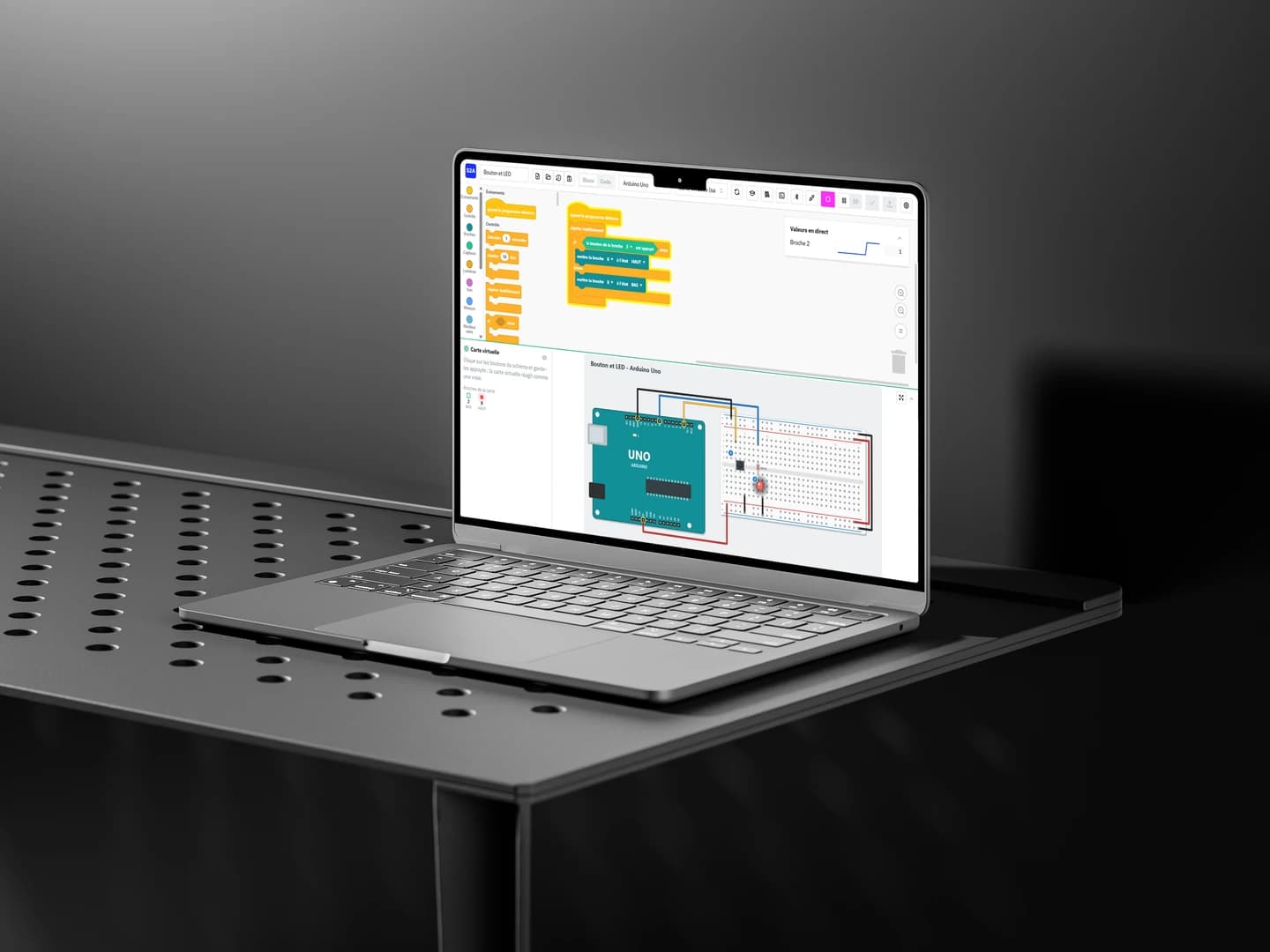
Scratch2Arduino is a desktop application (Windows, macOS, Linux) for programming a real Arduino board by snapping blocks together, like in Scratch. One click compiles the program and uploads it to the board. You can also drive the board live from the computer (Live mode) and watch LEDs light up, motors spin and sensors report values as soon as the blocks are placed.
No board at hand? The program runs on a virtual board, built from the wiring diagram the application draws for every project. Everything works offline, with no account, in French by default and in English.
For those who have already done some programming, blocks are not a ceiling: you can write your own functions, or the whole program, in C++, Python or JavaScript, and switch between languages with automatic conversion.
The project is not affiliated with Scratch (Scratch Foundation, MIT) or with Arduino. It borrows the look of Scratch blocks through the open-source scratch-blocks (opens in a new tab) library.
Installers for each system are available on the releases page (opens in a new tab).
An idea that goes way back
I have had this idea since my first years at Epitech, when I was a Cobra running the Coding Club workshops: introductory programming workshops for young people.
Whenever a workshop moved on to robotics, we hit the same wall. Plugging components into an Arduino board is something anyone can do, but programming it takes C/C++, a level most young people do not have yet. Scratch2Arduino is a bridge: you start with blocks, and those who already know a language can code straight away in the one they are most comfortable with.
My role
I designed and built the application with Claude, under close supervision: I set the features and the architecture, reviewed the code it produced, and tested every feature again by hand. This mattered most for anything involving hardware: upload, Live mode, LEDs, buttons, servo, distance sensor, temperature sensor, LCD screen and LED matrix were checked on real Arduino Uno and Mega 2560 boards.
Together we also wrote the user guide, 8 step-by-step tutorials and a kit for teachers and workshop leaders, in French and English.
Technical architecture
The application is written in C++17 with CMake and embeds the system webview (WebKitGTK, WKWebView or WebView2). The block editor, built with scratch-blocks (Blockly), React and Mantine, ships inside the application: no server or browser is needed.
All the logic lives in the C++ core: project model, block validation, Arduino code generation, calls to arduino-cli (bundled with the application) to compile and upload, and communication with the board. Live mode relies on a small Firmata-like firmware, flashed once, that lets the computer drive the pins in real time over USB, Bluetooth or Wi-Fi (ESP32, ESP8266).
CI builds the application on all three systems, runs the unit tests against a simulated board, compiles every example and produces the installers (.exe, .dmg, .deb, .rpm).